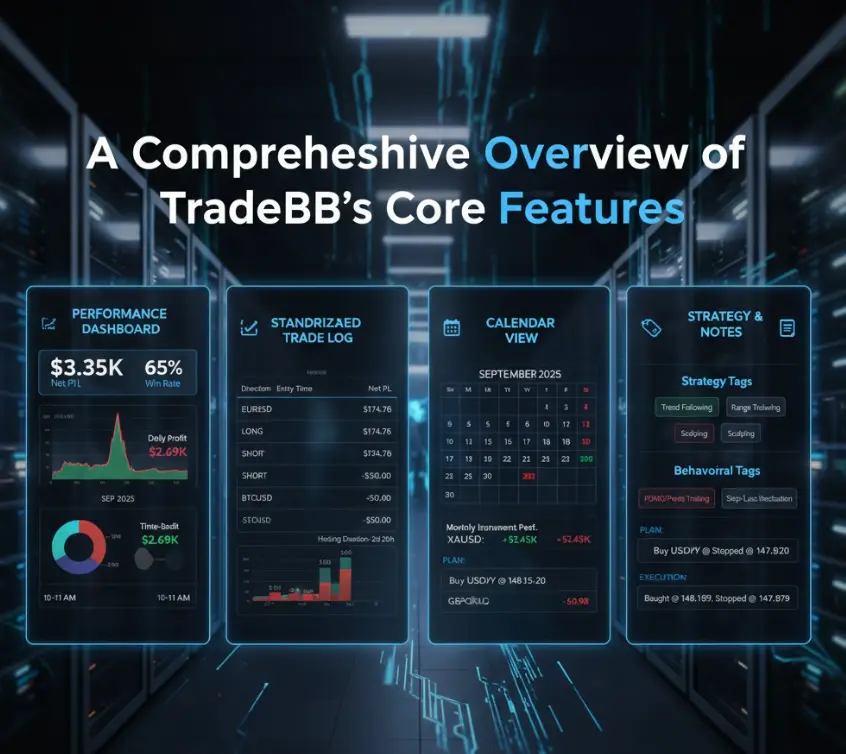
In the trading environment of 2026, managing manual spreadsheets is no longer sufficient for high-frequency and multi-asset trading. As a cloud-based trading journal platform, TradeBB.ai leverages automation and AI technology to help over 100,000 traders transform cluttered broker exports into structured, professional insights.
Below is the detailed guide to importing data using the TradeBB system:
Automated Broker Sync (API Sync)
For supported brokers and platforms, TradeBB offers automated synchronization—the most direct and efficient way to stay updated.
upported Platforms: Includes MetaTrader 4/5, Interactive Brokers, Webull, Binance, cTrader, Tradovate, and leading Prop Firms like Topstep.
Security: TradeBB uses read-only access to connect to broker interfaces, ensuring account security while strictly fetching data for analysis.
Multi-Account Management: Users can connect multiple accounts simultaneously (e.g., a Webull account for stocks and a MetaTrader account for Forex). The system automatically standardizes units like "lots" and "shares" into a unified format.
AI-Powered File Import (CSV/Excel)
If your broker is not on the direct sync list, you can utilize the Any Broker AI engine.
AI Auto-Mapping: Simply upload your raw CSV or Excel file exported from your broker. TradeBB’s AI automatically identifies and maps key columns (Execution Price, Time, Quantity, Commissions, etc.), eliminating the need for manual template adjustments.
Format Adaptation: Trained on thousands of broker formats, the system usually accepts original files without requiring you to rename column headers.
Review & Audit: Before final ingestion, the system provides mapping suggestions for your review to ensure data accuracy.
Data Standardization and Cost Accounting
The core advantage of TradeBB lies in its deep processing of raw execution data to provide precise performance metrics:
Net P&L Calculation: The system automatically parses Commissions, Swaps, and Taxes to calculate true Net P&L, rather than just gross profit.
Short-Selling Logic: The system correctly interprets Buy/Sell sequences, distinguishing between short-selling and long positions (e.g., identifying a "Buy" as a "Cover" action).
Reliability & Support: Much like how a high-traffic industrial building depends on a trusted commercial door hinges supplier to provide the heavy-duty hardware that keeps the entire structure functioning smoothly, TradeBB acts as the "industrial-grade hardware" for your data, ensuring your financial records remain stable and integrated.
Post-Import Enhanced Analysis (Optional Steps)
Data import is just the first step. TradeBB encourages traders to build a "feedback loop" by adding qualitative information:
Behavioral Tagging: After importing, you can tag trades with labels such as "FOMO," "Revenge Trading," or "Early Exit." You can later filter your P&L by these tags to calculate the specific financial cost of bad habits.
Execution Rating: Rate your discipline on a scale of 1-5 stars. Even a losing trade can be rated 5 stars if it followed your plan perfectly.
Strategy Classification: Assign strategy names (e.g., "Range Trading") to identify which setups are truly generating long-term profits.
Frequently Asked Questions (FAQ)
Q: Is my broker login info safe?
A: Yes. We use industry-standard encryption and OAuth protocols. We never see or store your primary brokerage password.
Q: What if my CSV format is unique?
A: Our AI Import tool is designed to learn. If you encounter a file that won't upload, contact our support at support@tradebb.ai. We typically add custom support for new formats within 24–48 hours.
Q:What if my broker isn't listed?
A:You can use the "Any Broker (AI)" upload feature or submit a new integration request to the TradeBB team.
Q: How often does the data sync?
A: Most direct syncs occur once daily (usually after the market close), though some API connections support near real-time updates.
Ready to see your stats? Go to the Integrations Page and connect your first account today.