

What Are Capital Adjustments?
Capital adjustments allow you to record money moving in and out of your brokerage account, such as:
- Deposits
- Withdrawals
- External transfers
- Other balance adjustments
These adjustments do not affect your trading performance. They are used only to calculate your estimated account balance more accurately.
How Estimated Balance Is Calculated
TradeBB calculates your estimated balance using the following formula:
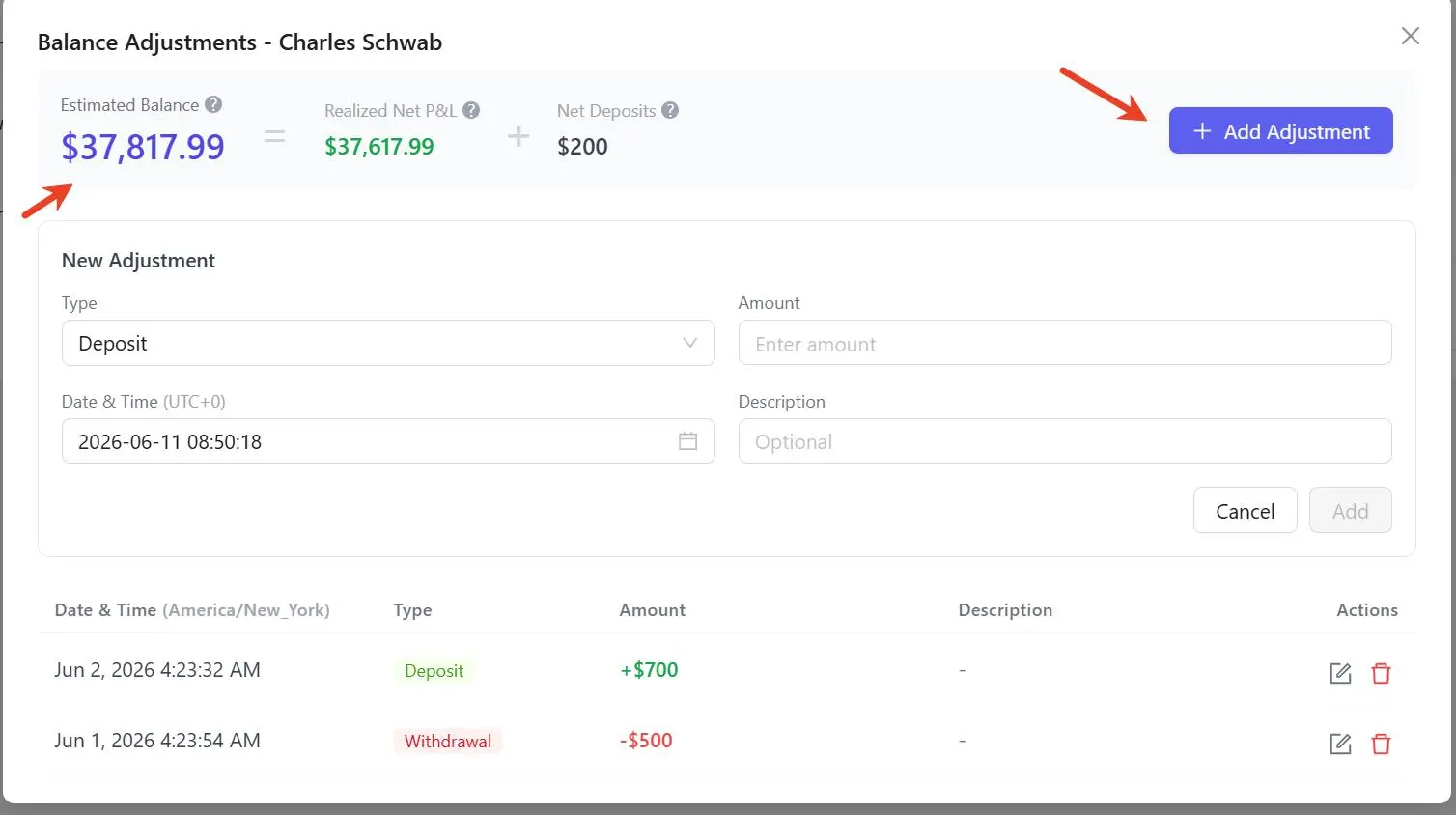
Estimated Balance = Realized Net P&L + Net DepositsWhere:
- Realized Net P&L represents profits and losses generated by your completed trades.
- Net Deposits equals total deposits minus total withdrawals that you manually record.
How to Add Deposits or Withdrawals
Step 1
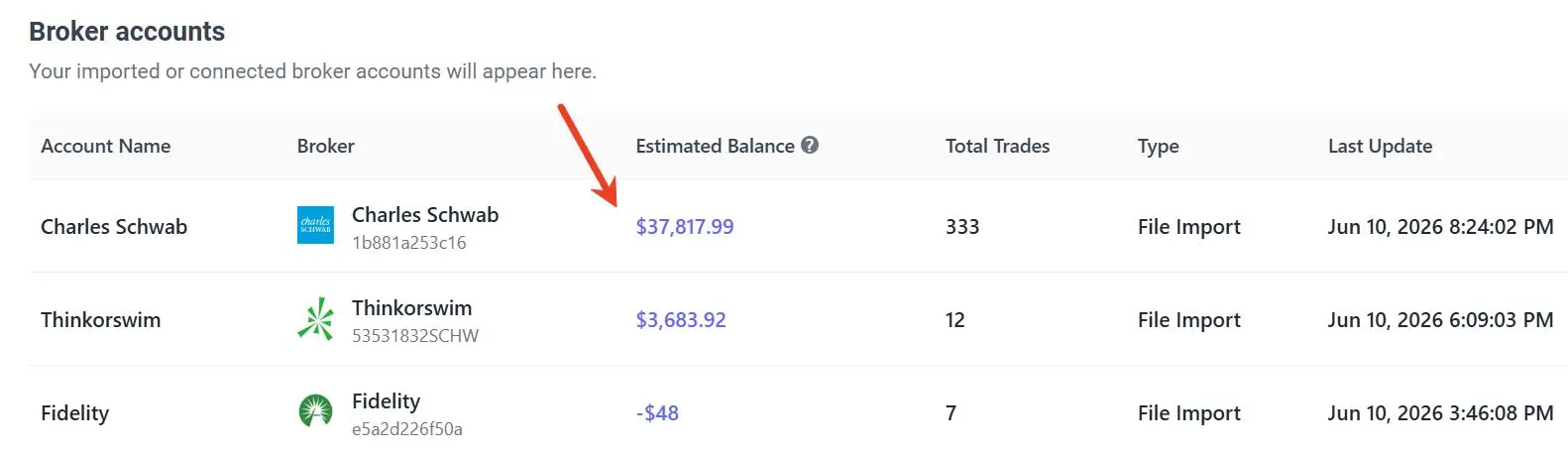
Navigate to:
Import Trades → Broker AccountsYou will see a list of all imported or connected broker accounts.
Step 2
Click the Estimated Balance amount for the account you want to update.
The Balance Adjustments window will open.
Step 3
Click Add Adjustment.
Choose:
- Deposit
- Withdrawal
Then enter:
- Date and time
- Amount
- Optional description
Save your adjustment.
Editing or Removing Adjustments
You can edit or delete adjustments at any time.
Changes are reflected immediately in your estimated account balance.
Important Notes
- Deposits and withdrawals do not change your trading statistics.
- Net P&L remains based only on your trading activity.
- Capital adjustments help separate trading performance from money transfers.
- Estimated Balance is intended as a convenience feature and may differ from your broker's official balance if some adjustments are missing.