Coinbase Trading Journal: Reveal Your True Performance
Stop relying on the "Portfolio Balance" number to judge your success. Coinbase makes buying easy, but it makes tracking performance hard. TradeBB acts as your dedicated coinbase trading journal, turning your raw transaction history CSVs into a professional dashboard that reveals your actual edge.
Choose Date Range
Select the historical trading period you want to import.
We use imported data only to provide journaling and analytics. Data is encrypted in transit and at rest, with strict access controls. You can disconnect and delete your data anytime.
Read our Privacy PolicyThe Conflict: "Simple" Trading Hides the Details
Coinbase is designed for onboarding, not auditing. When you rely solely on the app, you face critical blind spots:
- The "Average Cost" Trap: After multiple buys and sells, it’s nearly impossible to manually calculate your exact break-even price.
- Hidden Fee Drag: Spread fees and transaction costs eat into your margins. If you don't track them per trade, your "green" P&L might actually be red.
- Messy Exports: Coinbase generates complex CSV files that mix rewards, staking, and trades. Cleaning this in Excel takes hours.
The Solution: Import, Clean, and Analyze
TradeBB acts as a data engine for your Coinbase exports. We bridge the gap between a messy transaction log and clear strategy review.
1. Organize Your History (No Manual Cleanup)
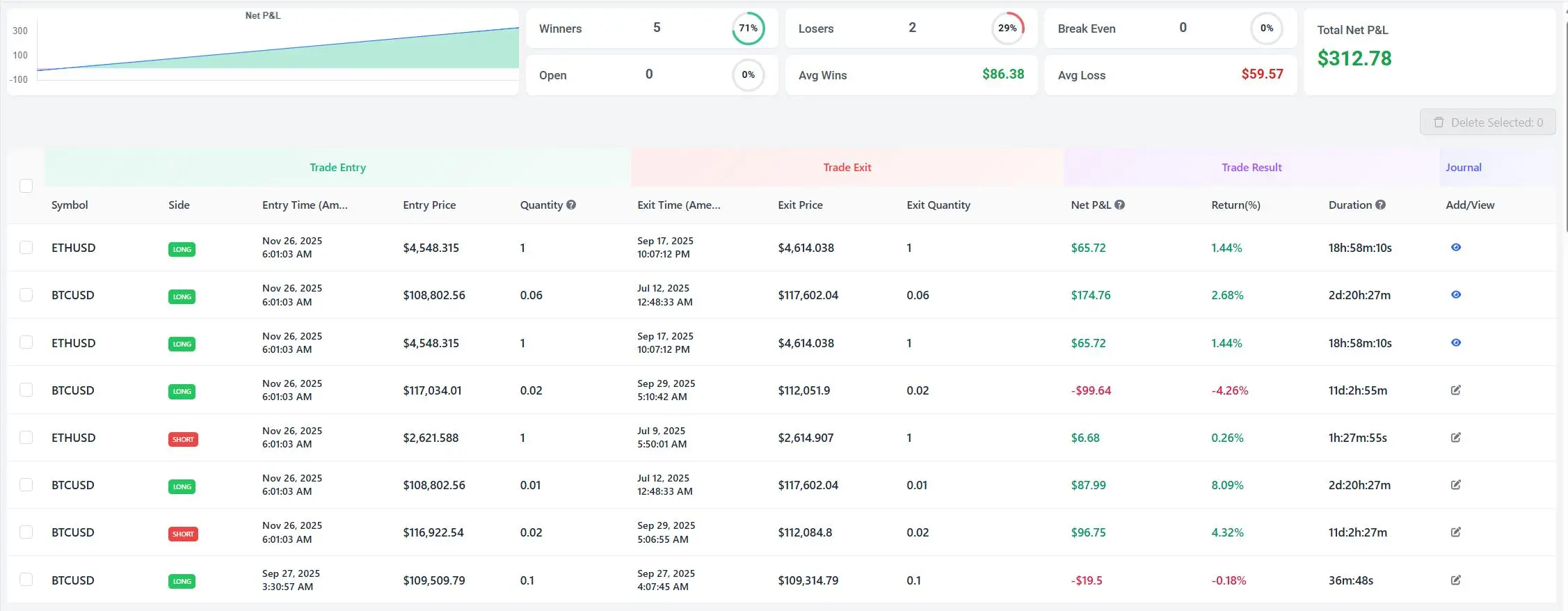
Stop fighting with spreadsheet columns. Simply export your transaction history from Coinbase and upload it. Our Any Broker (AI) engine automatically distinguishes between "Trades," "Staking Rewards," and "Transfers," organizing them into a clean Trade Log.
2. Track Your True Net P&L
Crypto volatility is high, but so are the fees. TradeBB calculates your Net P&L by factoring in every cent of commission and spread cost. Finally, see exactly how much profit you keep after Coinbase takes its cut.
3. Separate Luck from Skill
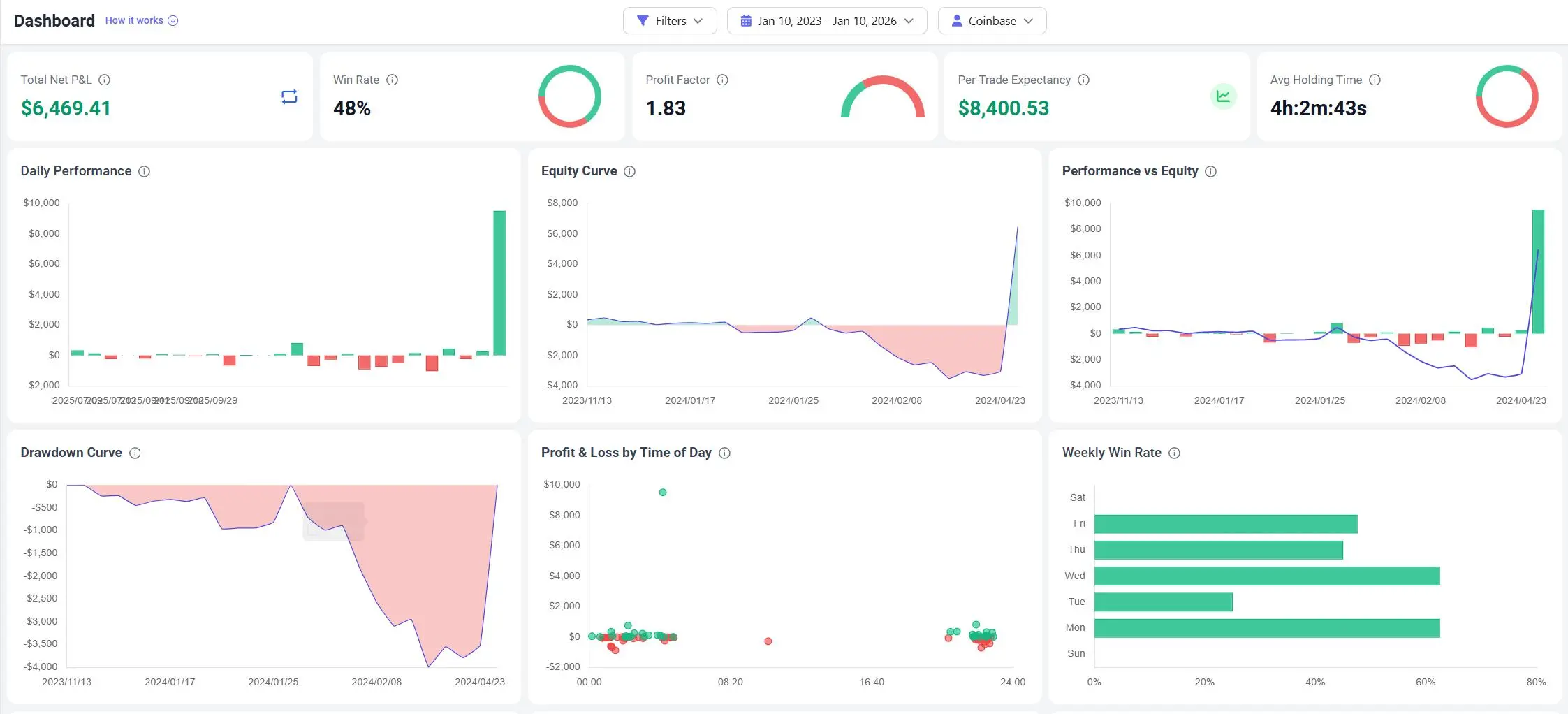
Are you profitable because you are a good trader, or just because Bitcoin went up? The Dashboard visualizes your Equity Curve relative to the market. Use this to identify if your active trading is actually outperforming a simple "Buy and Hold" strategy.
The Workflow: Your Review Routine
The goal of a coinbase trading journal is to move from data entry to analysis in minutes.
- Export: Log in to Coinbase, go to "Reports" or "Taxes," and generate your "Transaction History" CSV report.
- Import: Upload the file directly to TradeBB. The system recognizes the format and maps the timestamps, assets, and fees for you.
- Review: Open the Dashboard to check your monthly profit factor and tag any emotional trades (e.g., "FOMO Buy") to track their cost.
The Verdict: TradeBB vs. Spreadsheets
| Feature | TradeBB (Import) | Manual Excel |
|---|---|---|
| Data Cleaning | Auto-Detects Trades vs. Transfers | Manual Sorting (Time Consuming) |
| Fee Tracking | Auto-Calculates Net P&L | Often Ignored |
| Break-Even Analysis | Instant Avg Price Calculation | Complex Formulas |
| Visuals | Professional Equity Curve | Static Rows & Columns |
| Security | Encrypted File Upload | Local Files (Risk of Loss) |
Coinbase FAQ
How do I get my transaction history from Coinbase?
You can download your report by visiting the "Taxes & Reports" section in your Coinbase account settings. Select "Generate Report" (CSV) for "All time" or your specific date range.
Does this support both Coinbase and Coinbase Advanced?
Yes. Our Any Broker (AI) import tool is designed to recognize and map headers from standard Coinbase exports as well as the more detailed Advanced Trade reports.
Is my data secure?
Yes. You are simply uploading historical data files for analysis. Since there is no API connection required, your account remains completely offline and secure.