

The Automated Questrade Trading Journal: Audit Your CAD & USD Edge
Stop guessing. Use data.
You use Questrade to save on fees and access dual-currency accounts. But managing your performance review through the "Account Activity" page or IQ Edge is frustrating. The platform excels at execution and holding assets, but it lacks the analytical depth active traders need. It gives you a tax document, not a feedback loop.
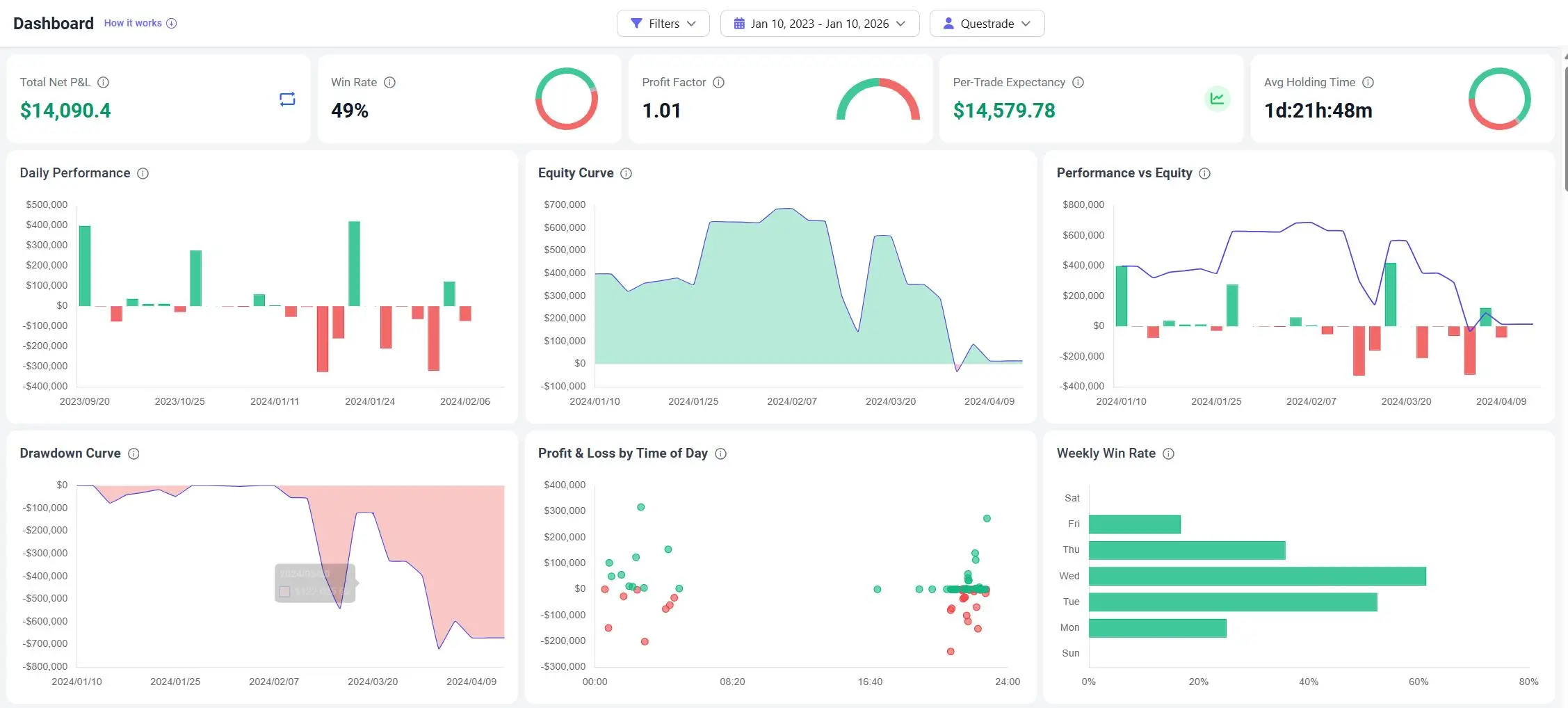
TradeBB serves as your dedicated questrade trading journal, transforming raw CSV exports into a professional analytics dashboard. We standardize your messy fill data so you can audit your discipline and execution quality without spreadsheet busywork.
Why Questrade's "Account Activity" Isn't Enough
Many traders struggle to improve because they don’t have an objective view of their performance.
Questrade’s native reporting is designed for monthly statements, not daily improvement. It lists transactions chronologically, mixing dividends, deposits, and trades. It doesn’t calculate your Risk Multiple (R) or show your Win Rate by Time of Day. To spot if you are overtrading your margin account or holding losers too long in your TFSA, you need a tool that separates signal from noise.
Is there a limit to how far back I can import?
No. You can import your historical data to build a long-term view of your performance. This is crucial for analyzing your Drawdown Curve and understanding your behavior across different market cycles.
The Data Integrity: Unified Currency Reporting
A major pain point for Questrade users is managing Dual Currency accounts. A standard spreadsheet often fails to consolidate these into a single performance metric.
TradeBB is built for the global trader.
Multi-Currency Normalization
- Unified Reporting: We keep trades in their native currency but can convert P&L to your base reporting currency using historical FX rates (based on data availability). This allows you to view a single Equity Curve for your entire portfolio, whether you traded TSX stocks in CAD or NASDAQ tech in USD.
- Net P&L Accuracy: Questrade exports include commissions. Our engine parses these costs to display your Net P&L, ensuring you see the true impact of ECN fees and commissions on your bottom line.
The Verdict: TradeBB vs. Excel vs. IQ Edge
Why move your data out of Questrade?
| Feature | Questrade Reports | Excel Spreadsheet | TradeBB Journal |
|---|---|---|---|
| Data Handling | List / Tax View | Manual Entry | Automated CSV Import |
| Currency | Segregated CAD/USD | Complex Formulas | Unified Reporting |
| Behavioral Analysis | None | Manual text columns | Mistake Tagging (e.g., FOMO) |
| Drawdown Tracking | Balance Only | Hard to visualize | Auto-Generated Curves |
| Goal | Record Keeping | Logging | Strategy Optimization |
Master your execution. Import your Questrade history now and turn your raw exports into a professional review process.
Questrade FAQ
How do I export my trades from Questrade?
Log in to the Questrade customer portal. Go to Reports > Account Activity. Select your date range and verify the activity type is set to "Trades". Click Export to Excel. You can then upload this file directly to TradeBB using our AI Import feature.
Does TradeBB handle both CAD and USD trades?
Yes. TradeBB supports multi-currency reporting. You can import trades from both your CAD and USD sub-accounts. The journal will track them natively and can provide normalized reporting to help you see your total performance in one view.
Can I track Options trades from Questrade?
Yes. TradeBB supports options trading. You can import your options executions, and the system will help you track performance, including the impact of commissions which can be significant for options traders.
Related Brokers

Broker not listed? Use Any Broker (AI) to upload your trade history file.


