

The Automated Webull Trading Journal: Audit Your Stock & Options Edge
Stop scrolling. Start auditing.
You love Webull for its clean UI and zero-commission structure. But scrolling through your "P&L Calendar" on a phone screen isn't a strategy review. The Webull app tells you that you lost money today, but it won't tell you why—was it poor sizing on a 0DTE option, or a disciplined stop-loss?
TradeBB acts as your dedicated webull trading journal, taking the raw data from your broker exports and turning it into a professional feedback loop. We handle the data cleaning so you can stop guessing and start scaling what works.
Why the Webull "Performance" Tab Falls Short
Mobile-first brokers focus on engagement, not analysis.
Webull's "Performance" tab is a scorecard, not a coach. It shows your daily P&L and a cumulative graph, but it lacks context. You can't filter your history to see "Long vs. Short" performance. You can't tag a trade as "Revenge" to see the dollar cost of your tilt. To treat trading as a business, you need to move your data off your phone and into a dedicated audit tool.
The Data Integrity: Smart Parsing for Webull Options & Fees
Webull is a favorite for options traders, but tracking multi-leg strategies in a spreadsheet is a nightmare. Plus, "Zero Commission" doesn't mean "Zero Cost"—regulatory fees (SEC/TAF) still apply.
TradeBB is engineered to handle Webull's specific data structure.
Options & Fee Tracking
- Options String Parsing: We use AI to parse Webull's option symbols, identifying the underlying stock, strike price, and expiration date automatically. This lets you review your "Calls" vs. "Puts" performance instantly.
- True Net P&L: While Webull is commission-free, we parse the regulatory fee columns from your export. This ensures your Net P&L in the journal matches your actual account liquidation value.
- Strategy Grouping: (Manual Tagging) Use our Trade Log to group individual option legs into strategies like "Vertical Spreads" or "Iron Condors" for deeper analysis.
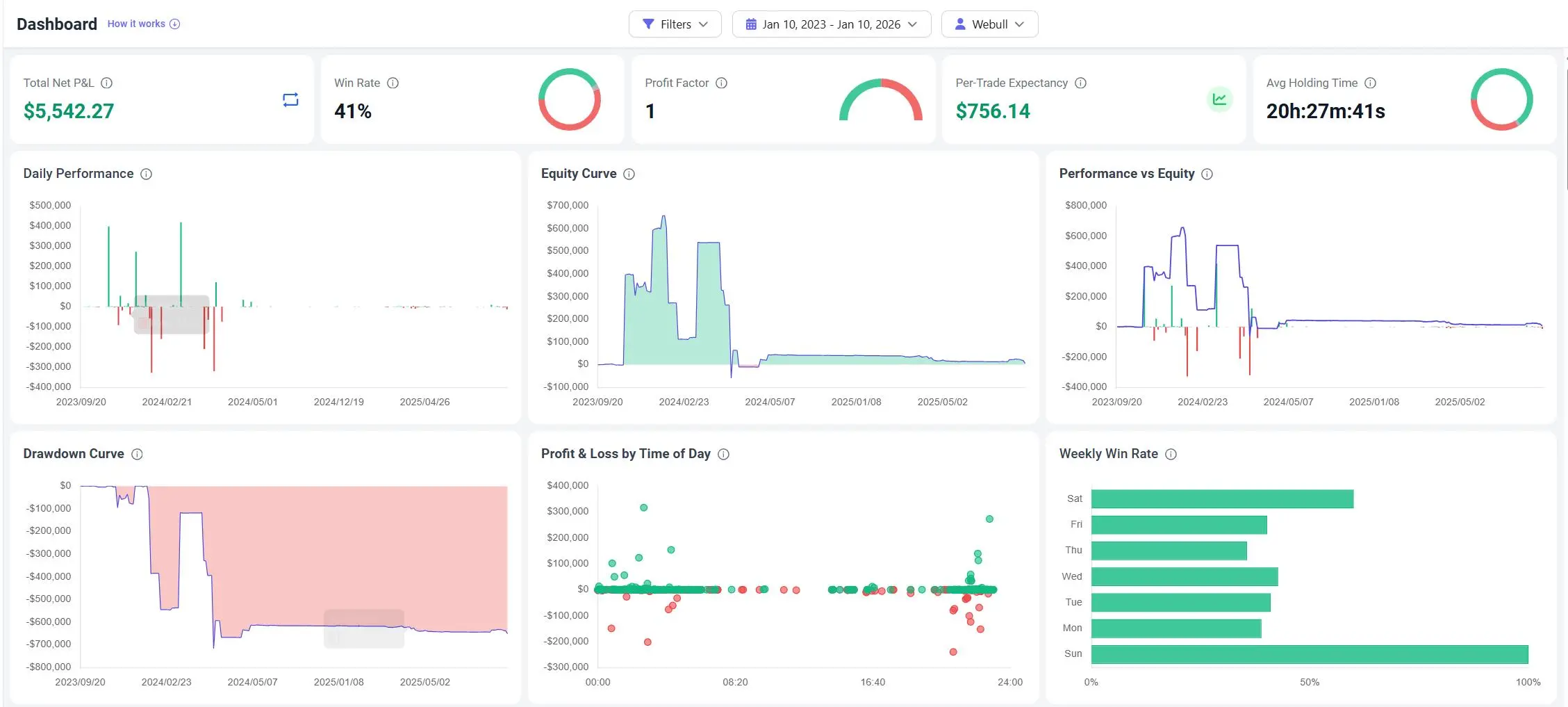
The Verdict: TradeBB vs. Excel vs. Webull App
Is a dedicated webull trading journal worth the extra step?
| Feature | Webull App "Performance" | Excel Spreadsheet | TradeBB Journal |
|---|---|---|---|
| Data View | P&L Graph / Calendar | Manual Rows | Interactive Dashboard |
| Input Method | Automatic (Internal) | Manual Typing | Automated CSV Import |
| Options Logic | Basic Position View | Hard to track expiry | Auto-Parse Details |
| Behavioral Tags | None | Manual text | Mistake Tagging (e.g., FOMO) |
| Goal | Engagement | Record Keeping | Performance Optimization |
Audit your execution. Import your Webull history now and turn your export files into a competitive advantage.
Webull FAQ
How do I export my trade history from Webull?
On the Webull Desktop app: Go to the Account icon (briefcase), select Orders, right-click the list, and choose Export. On the Mobile app: Go to Menu > History > Orders Record > Click the "Download" icon in the top right. Once you have the file, simply upload it to TradeBB's Any Broker (AI) import tool.
Does TradeBB support Webull Options trades?
Yes. We support standard options (Calls/Puts). Our system parses the option details from your Webull export so you can track your win rate and P&L specifically for your options strategies.
Can I track crypto trades from Webull?
Yes. If your Webull export includes crypto transactions, our Any Broker (AI) engine can map them. We support unified tracking for stocks, options, and crypto in a single journal [Source: 1085].
Is my data secure?
Absolutely. CSV/Excel imports from platforms like Webull are processed through our encrypted secure tunnel [Source: 33]. We do not have direct access to your Webull account, ensuring your funds are safe.
Related Brokers

Broker not listed? Use Any Broker (AI) to upload your trade history file.


