

Strategies help you organize trades by trading setup or trading methodology.
By assigning strategies to your trades, you can analyze which setups perform best over time and identify strengths or weaknesses in your trading process.
TradeBB allows you to:
- Create custom strategies
- Assign strategies to trades
- Analyze strategy performance in reports
Step 1: Create a Strategy
To create a strategy:
Go to:
Settings → Preference → Strategies
Then click:
Add Strategy
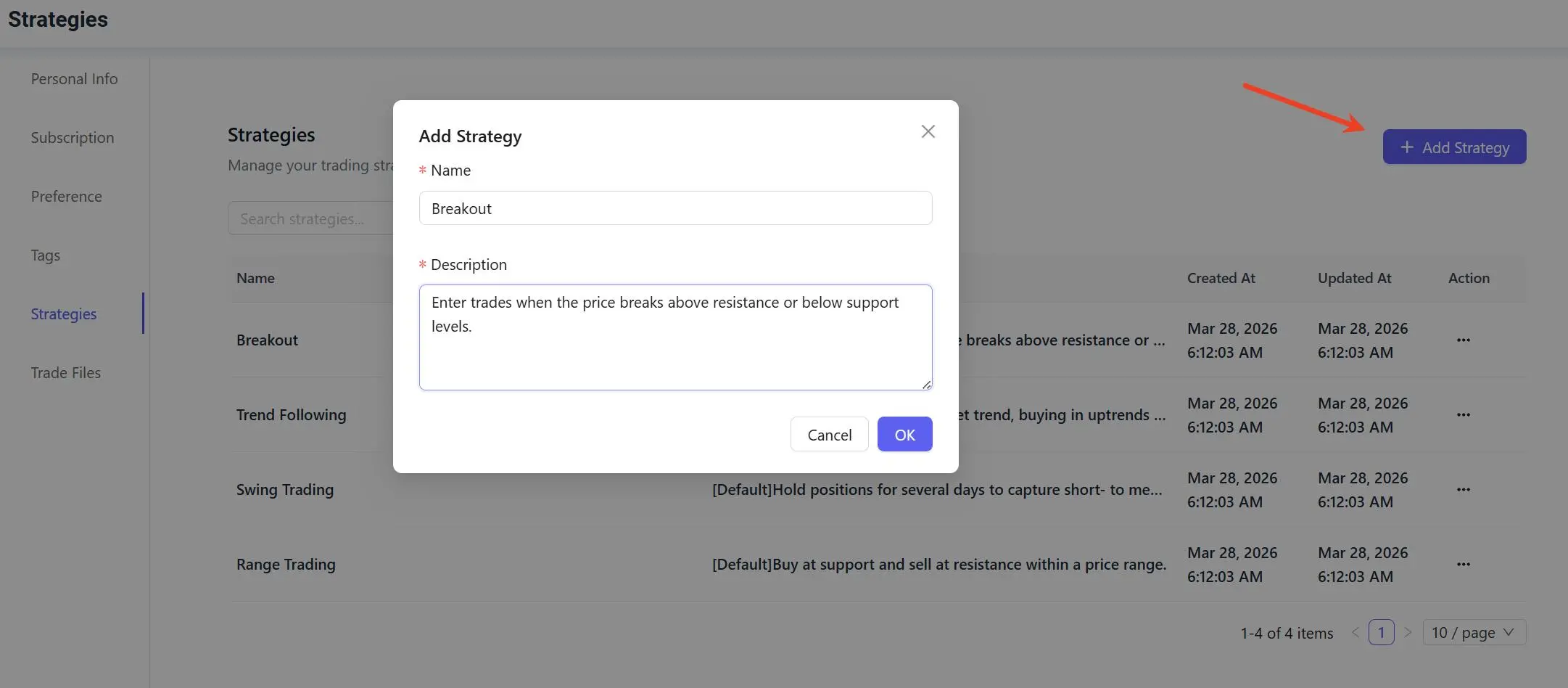
You can create strategies such as:
- Breakout
- Trend Following
- Swing Trading
- Range Trading
or any custom setup that matches your trading workflow.
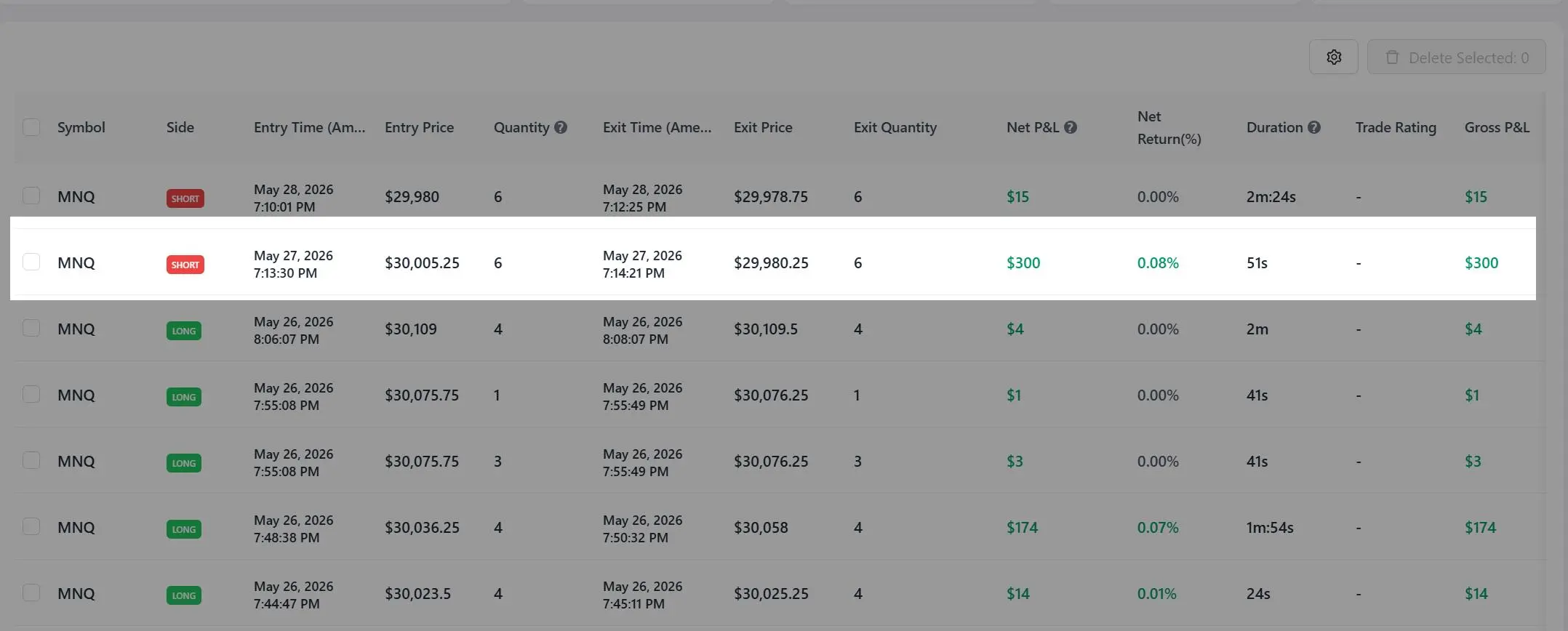
Step 2: Open a Trade From Trade Logs
After creating your strategies, go to your Trades page and open the trade you want to assign a strategy to.
For example:
- MNQ trade shown below
Step 3: Assign a Strategy to the Trade
Inside the trade detail page, locate the:
Strategy
field and select the strategy you want to assign.
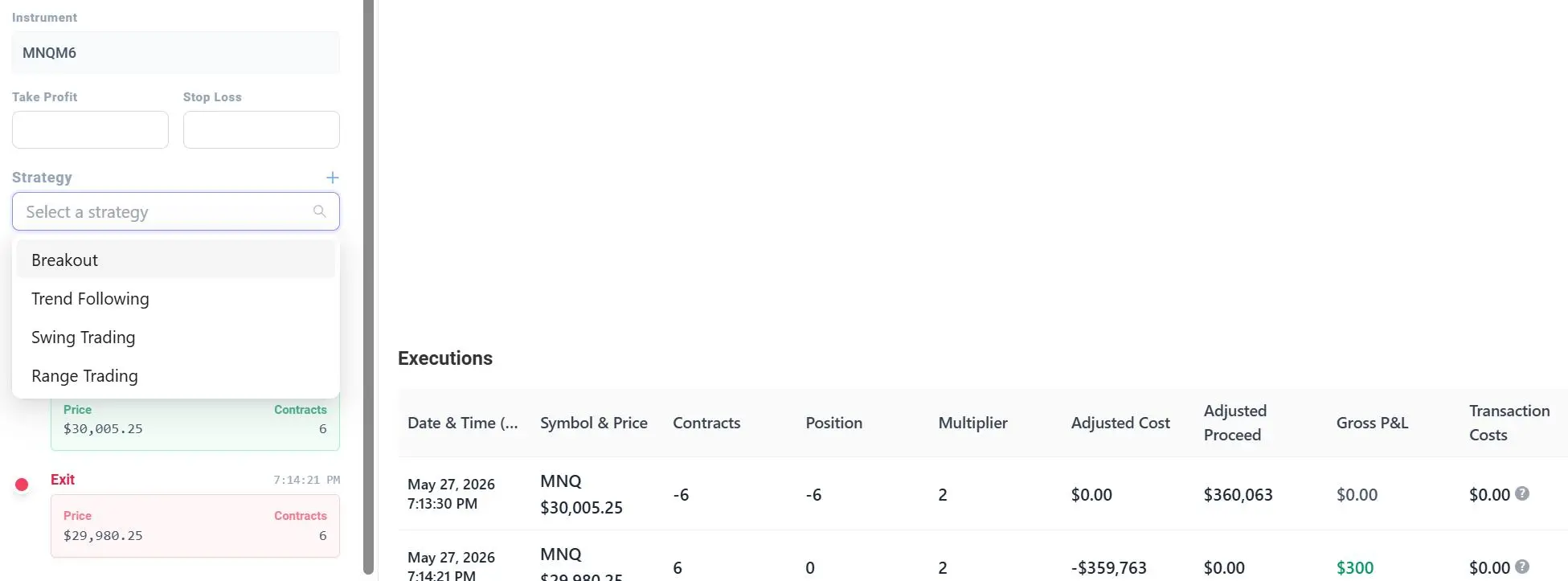
Once assigned, the strategy will be linked to the trade and included in strategy-level analytics and reports.
Viewing Strategy Reports
You can analyze strategy performance at:
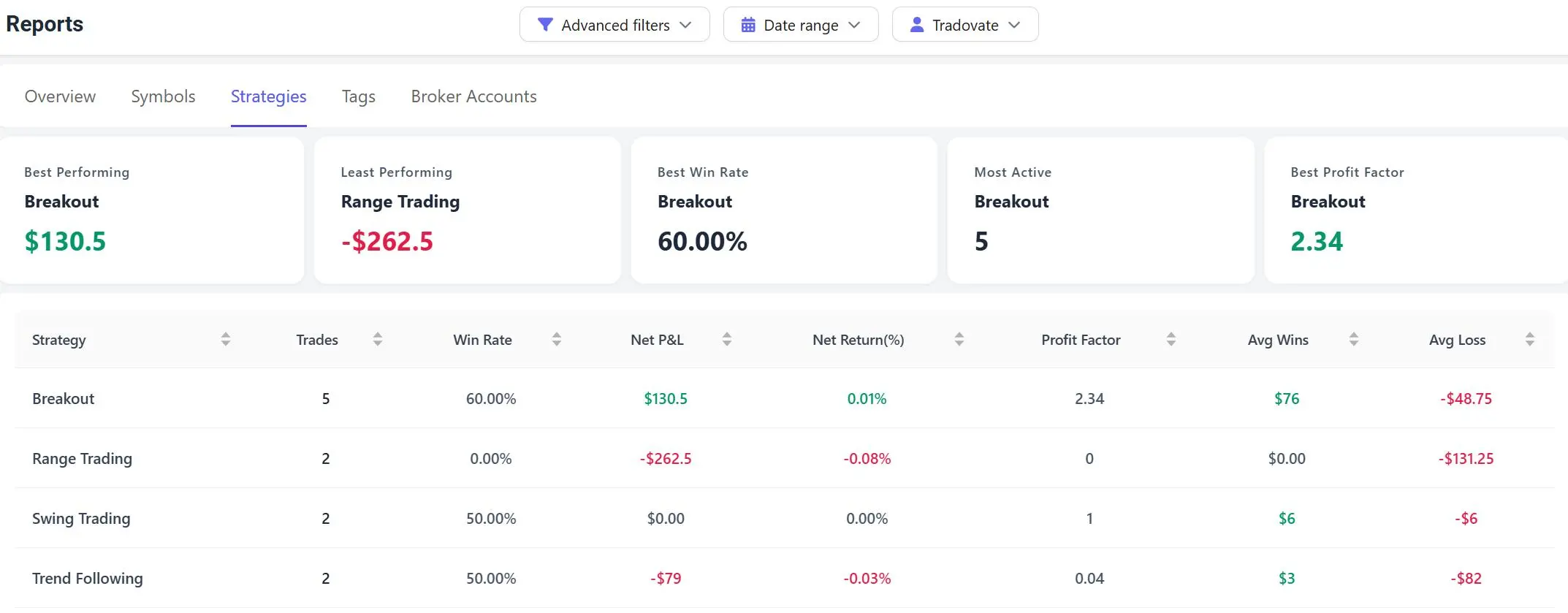
The Strategies report allows you to review:
- Net P&L
- Win rate
- Profit factor
- Average wins
- Average losses
- Most active strategies
- Best performing strategies
This helps you identify which trading setups consistently perform well over time.
Why Strategies Matter
Many traders use strategies to separate different trading styles or setups.
Examples include:
- Breakout trades
- Reversal trades
- Trend continuation setups
- Scalping setups
- News trades
- Swing trades
Tracking strategies separately makes it easier to:
- Understand what is working
- Eliminate weak setups
- Improve consistency
- Build a repeatable trading process
Important Notes
- Strategies are fully customizable
- A trade can only be assigned to one strategy at a time
- Strategy reports update automatically after trades are assigned
- Existing trades can be updated anytime