

Tags help you organize and classify trades using custom labels.
Many traders use tags to track:
- Trading mistakes
- Emotions
- Market conditions
- Execution quality
- Trade setups
- Psychological patterns
TradeBB allows you to:
- Create tag categories
- Create custom tags
- Assign multiple tags to trades
- Analyze tag performance in reports
Step 1: Create a Tag Category
Before creating tags, you first need to create a tag category.
Go to:
Settings → Preference → Tags
Then click:
Add Category
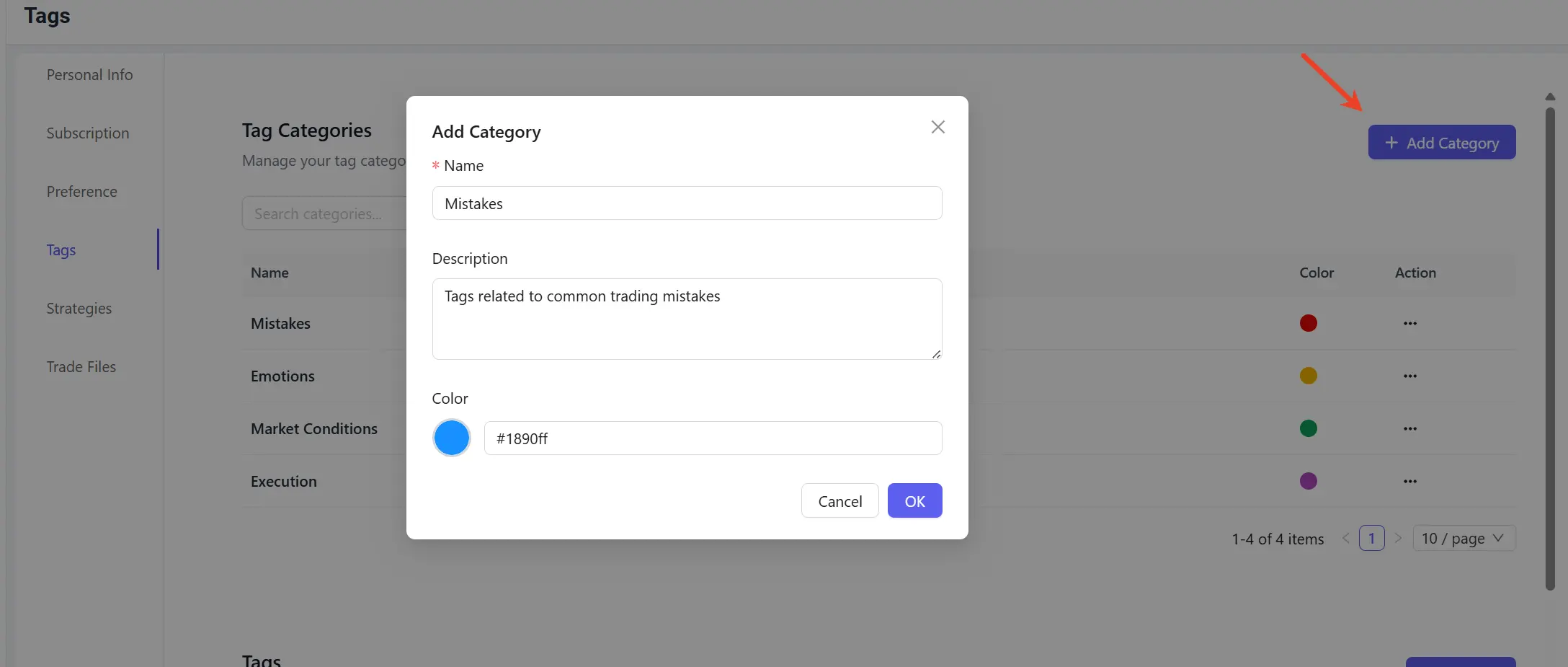
Examples of tag categories include:
- Mistakes
- Emotions
- Market Conditions
- Execution
Categories help organize your tags and make reports easier to analyze.
Step 2: Create Tags
After creating a category, you can create individual tags.
Click:
Add Tag
Then select the corresponding category.
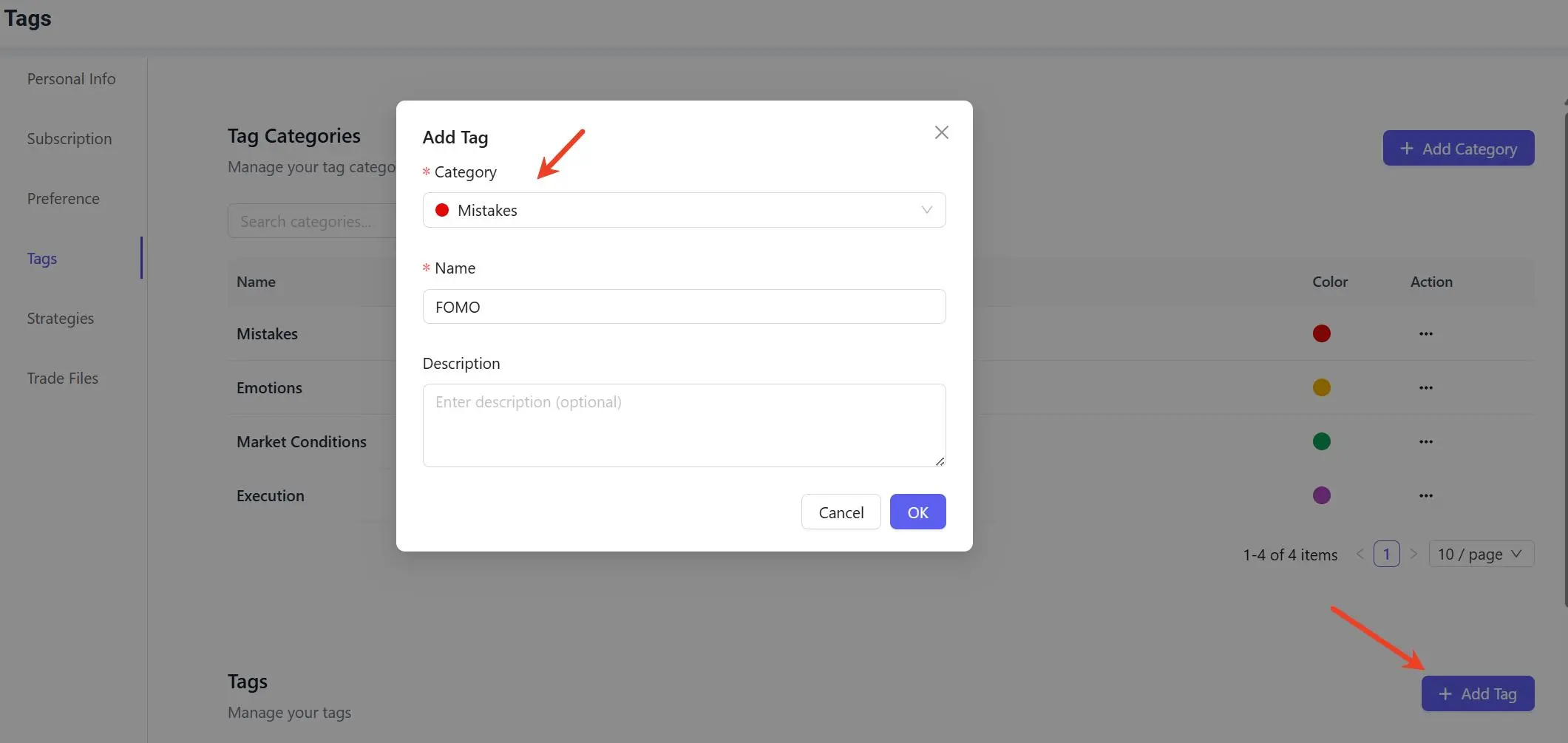
Example:
Category:
- Mistakes
Tags:
- FOMO
- Overtrading
- Revenge Trading
You can create any custom tags that match your trading workflow.
Step 3: Open a Trade From Trade Logs
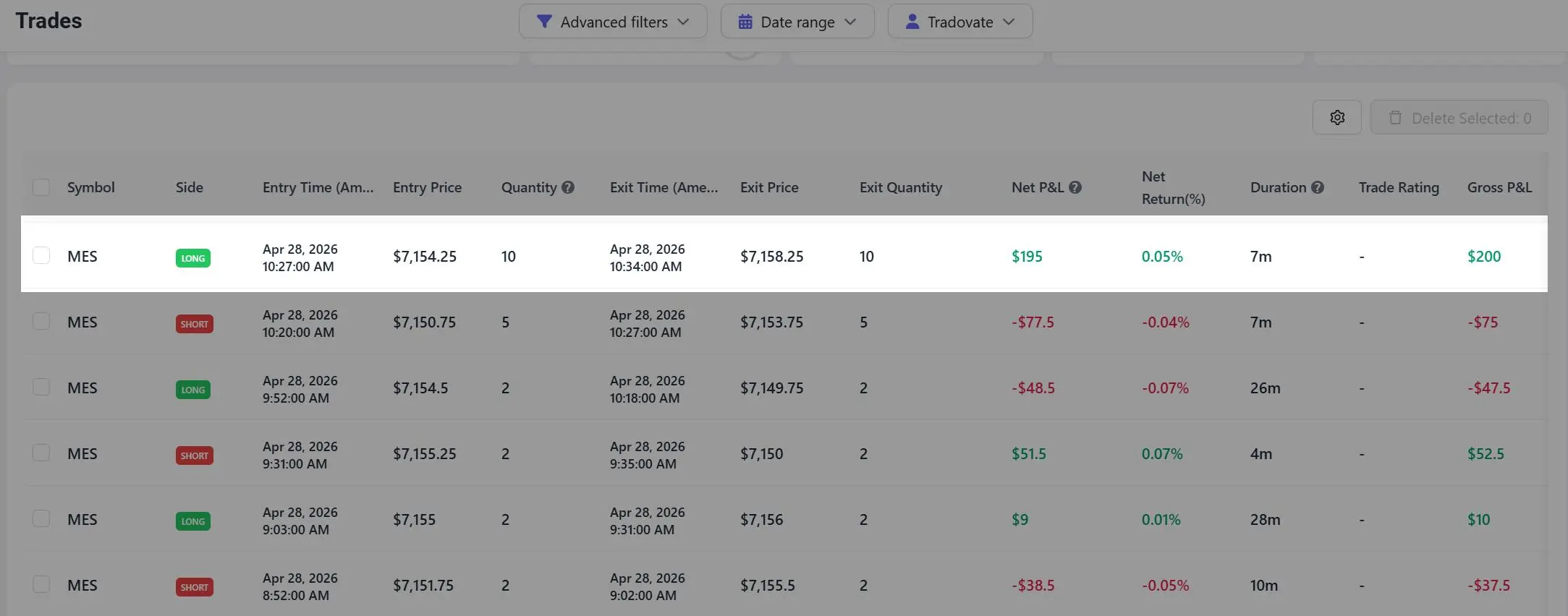
After creating your tags, go to your Trades page and open the trade you want to tag.
For example:
- MES trade shown below
Step 4: Assign Tags to the Trade
Inside the trade detail page, locate the:
Tags
section and select the tags you want to assign.
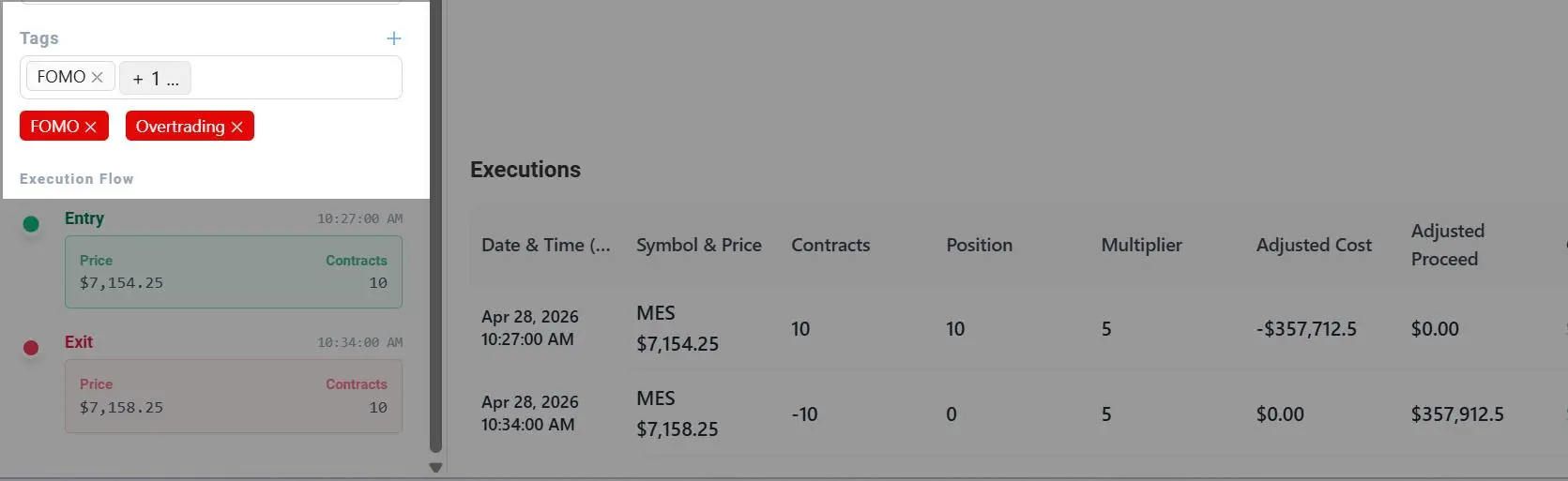
Unlike strategies, a single trade can have multiple tags assigned at the same time.
For example:
- FOMO
- Overtrading
This allows traders to track multiple behaviors or market conditions for the same trade.
Viewing Tag Reports
You can analyze tag performance at:
Reports → Tags
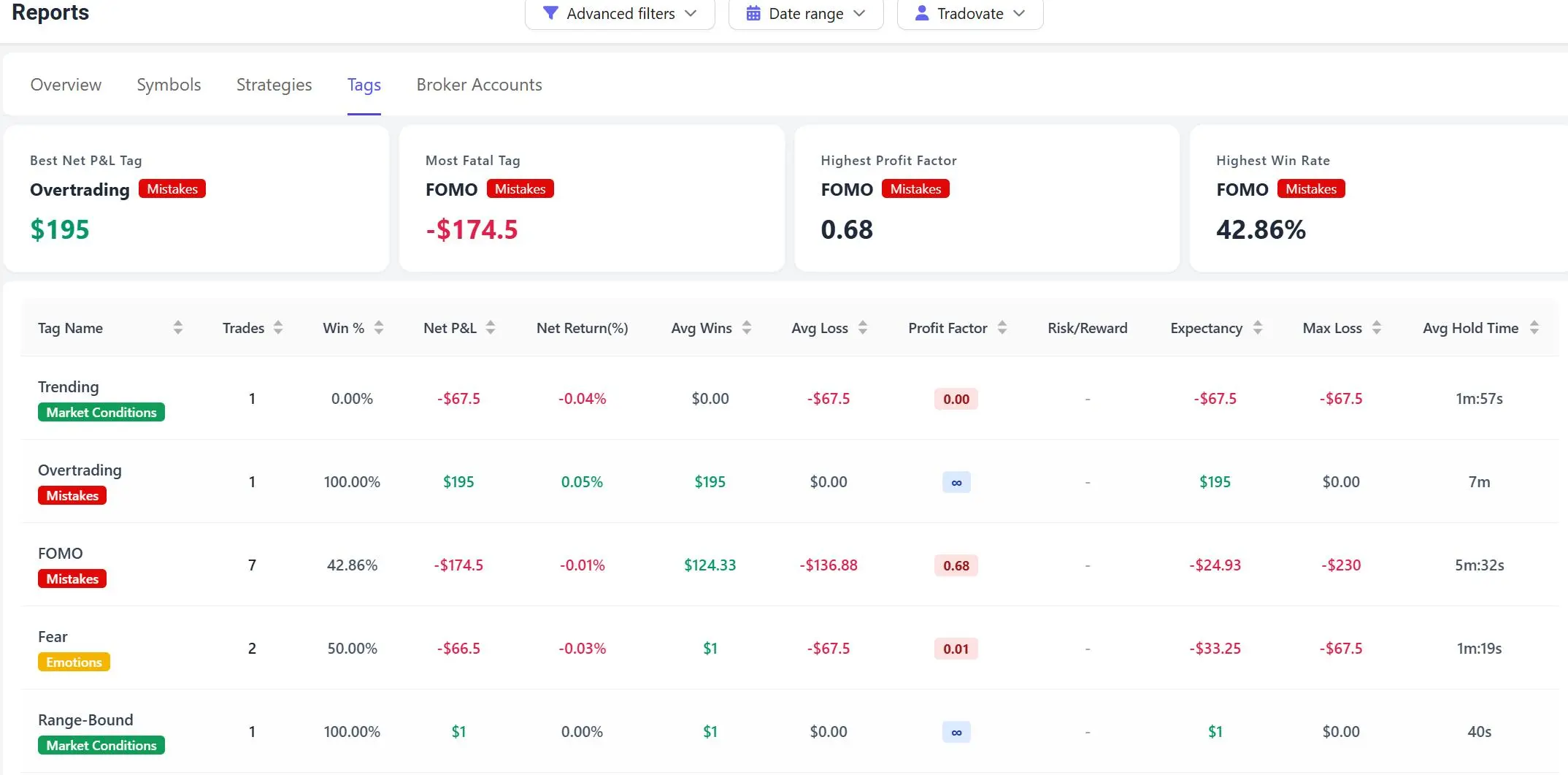
The Tags report allows you to review:
- Net P&L
- Win rate
- Profit factor
- Risk/Reward
- Expectancy
- Average wins
- Average losses
- Most profitable tags
- Most damaging tags
This helps identify recurring patterns and behaviors that impact trading performance.
Why Tags Matter
Tags are one of the most useful tools for self-review and trading psychology analysis.
Many traders use tags to identify:
- Recurring mistakes
- Emotional trading behavior
- Strong market conditions
- Execution problems
- High-performing setups
Over time, tag analysis helps traders better understand:
- What improves performance
- What consistently causes losses
- Which habits should be reinforced or avoided
Important Notes
- Tags are fully customizable
- Multiple tags can be assigned to a single trade
- Tag reports update automatically after trades are tagged
- Existing trades can be updated anytime