 TradeBB
Start a Zerodha trading journal from one Console download
Zerodha's Console already records every trade you take. TradeBB turns that tradebook into a trading journal: your progress day by day and week by week, your win rate, and the habits behind your results.
How to export
How to download your tradebook from Console
- Log in to console.zerodha.com
- Go to Reports → Tradebook
- Choose a segment and a date range, then load the trades
- Download as 🔶 CSV, and upload the file to TradeBB under Import Trades → Upload file
- One year per download — Console allows up to 365 days at a time, so export a longer history year by year
- One segment at a time — 🔶 export each segment you trade and upload each file
- Some trades aren't in the tradebook — shares from an IPO, an OFS or a transfer from another broker sit in Console's external tradebook instead
Charges
Why your Console P&L and your tradebook don't match
The tradebook lists each fill: what you bought or sold, how much, at what price and when. It doesn't include charges. Brokerage, STT, GST, stamp duty and exchange fees are in your contract notes, and other charges sit in a separate sheet of Console's P&L report.
So a result worked out from the tradebook alone is before charges, and it will look better than Console's net P&L. 🔶 In TradeBB, you can add commissions, fees and taxes to your trades, so the result you review is the one your account actually kept.
After it's in
Your progress, day by day and week by week
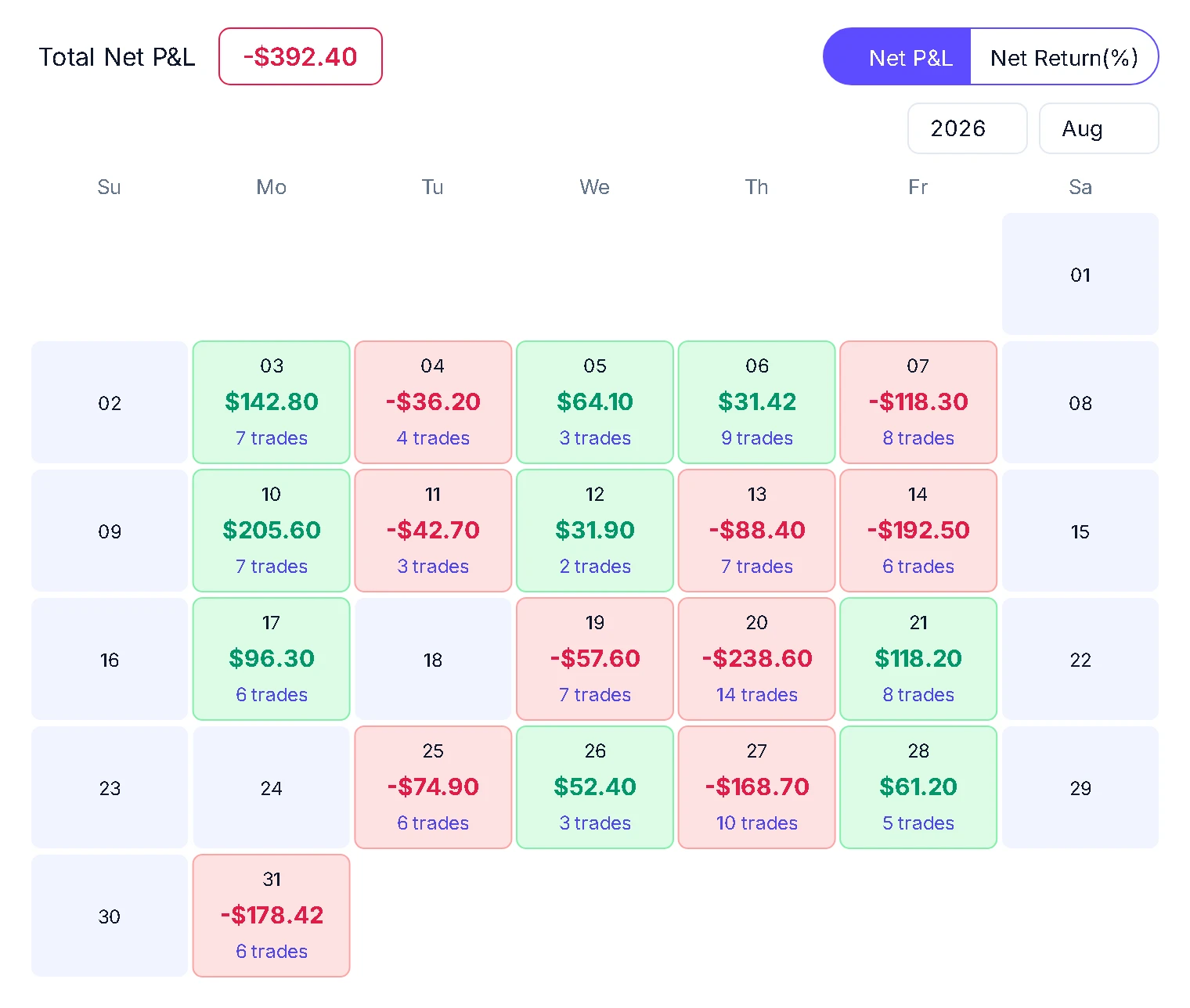
- Every day on a calendar — each day's result, with the month's total next to it
- Week by week — whether this week was better than last
- Fills grouped into trades — 🔶 bought in three lots, sold in two? It shows as one trade
- The habits behind the numbers — tag overtrading or revenge trades, and see what each cost
- In your time zone — set IST once and every report follows it
Not just what you made. What keeps making the difference.
FAQ
Frequently asked questions
Can I use Kite instead of Console?
The tradebook download is in Console, not Kite. Log in to console.zerodha.com with your Zerodha account.
How far back can I export?
Up to 365 days per download. For a longer history, download one year at a time and upload each file.
Why is my P&L in TradeBB different from Console's?
The tradebook doesn't include charges like brokerage, STT and GST. Add them in TradeBB to see your result after charges.
Is my Zerodha account connected?
No. You download the tradebook from Console and upload it yourself; TradeBB never signs in to Zerodha.
Your Console tradebook, turned into a journal.
Download it once a year, or once a week, and see what's really driving your results.